Managing your Token
Watchlist
Add tokens to your watchlist and reach them from the ticker row on any page.
Your watchlist keeps the tokens you care about one click away, in the ticker row under the top navigation, on every page.
Adding tokens to your watchlist
Section titled “Adding tokens to your watchlist”You add tokens to your watchlist from their trading page:
- Open the token's page.
- Click the star icon after its ticker and name (Add to watchlist).

You get $TICKER added to watchlist and the star turns gold. To remove the token, click the star again (Remove from watchlist): you get $TICKER removed from watchlist.
Viewing your watchlisted tokens
Section titled “Viewing your watchlisted tokens”Select the  icon (Watchlist) at the left of the ticker row to see all your watchlisted tokens. It's the view shown by default.
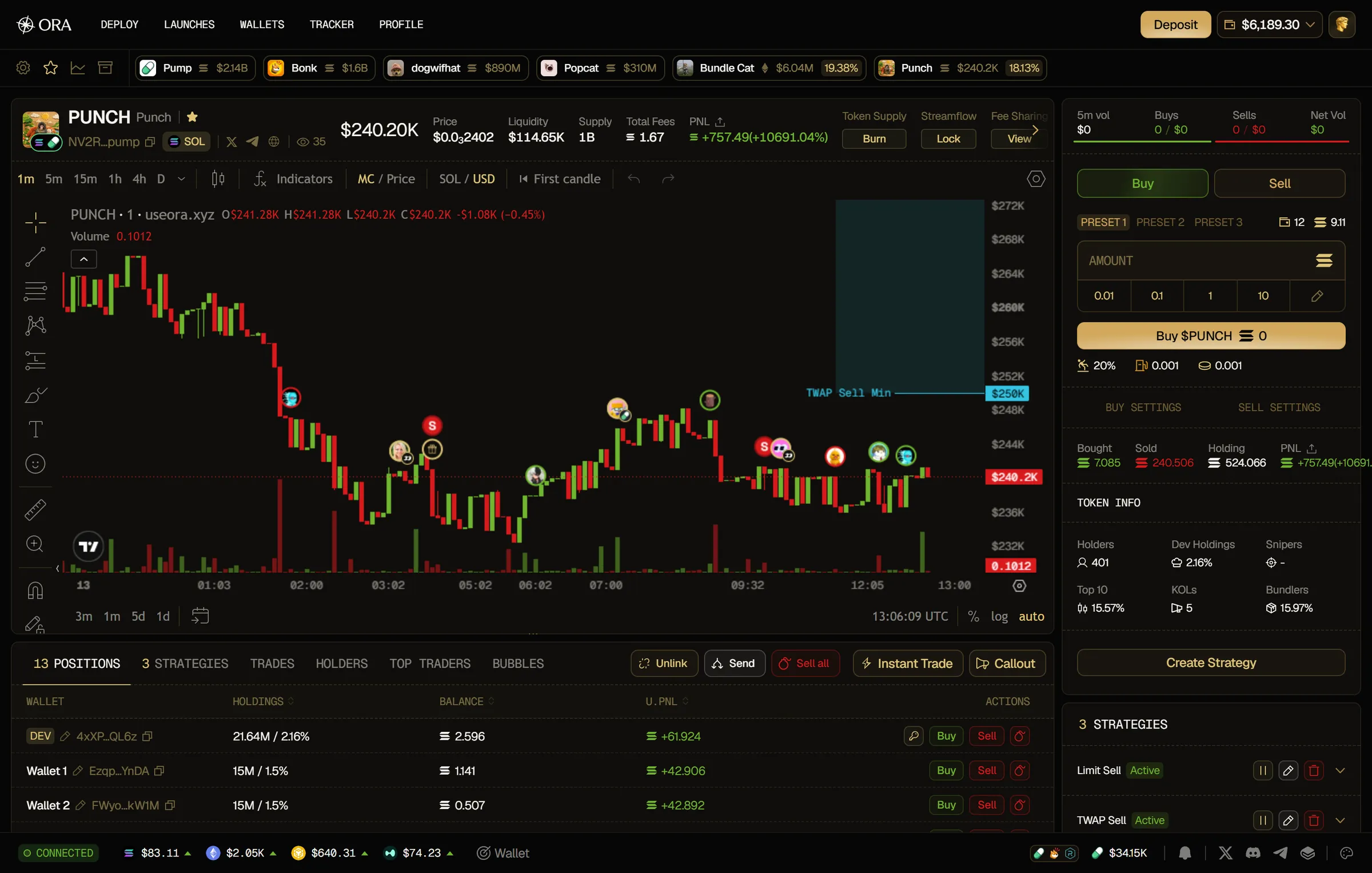
Each token shows its logo, its name, its chain, its market cap (Marketcap) and the share of its supply you hold (Holdings). Click a token to jump straight to its page.

The ticker row
Section titled “The ticker row”Next to Watchlist, two more icons switch what the ticker row shows:
- Active positions: your current coins, with the share of supply you still hold, and your launches that are funded but not trading yet, with their wallets' balance.
- Archived tokens: the launches you archived on the Wallets page, with their wallets' balance.

Click the gear at the far left (Ticker row settings) to choose:
- Show Holdings: show the holdings badge Never, Always, or On Hover.
- Show Active Positions Market Caps: add the market cap to your active positions.
- Sort Watchlist By: the order of your watchlisted tokens: Price, Name, Created at or Added. The arrow button next to it switches between ascending and descending order.
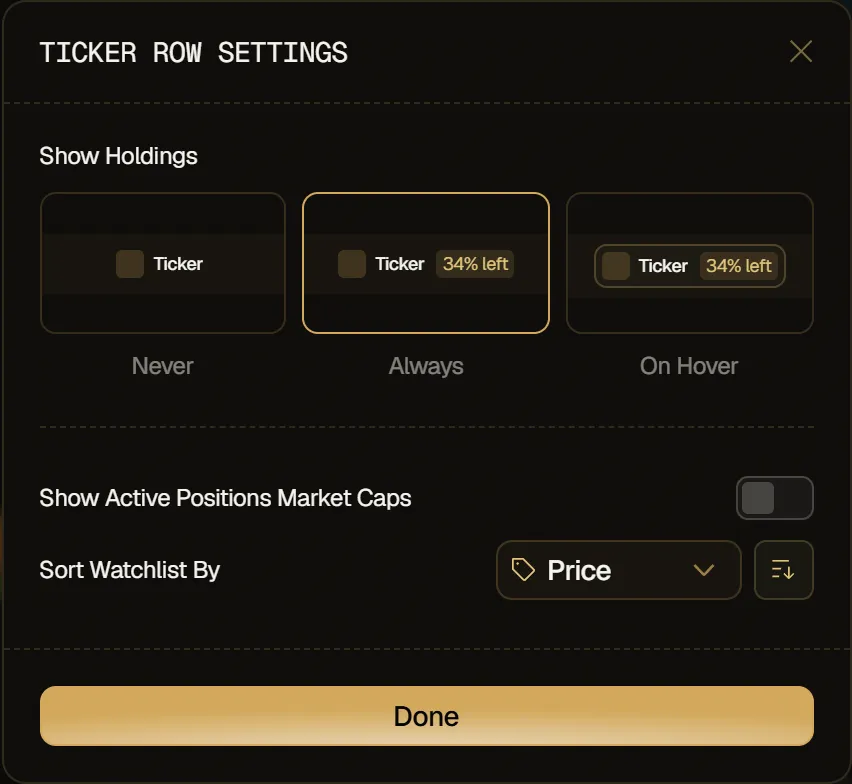
You find the same options in the Ticker row tab of Settings.