
Mirror
Sells when other wallets buy, to exit into their volume, or buys when they sell, to absorb the sell pressure.
Managing your Token
Automate your buys and sells with mirror, TWAP or limit strategies that run across your wallets.
Instead of trading by hand, you can set up strategies that buy or sell automatically across your wallets. A sell strategy exits a position for you: into other wallets' buys, gradually over time, or at a target market cap. A buy strategy works the other way: it buys into other wallets' sells, builds a position over time, or buys when the market cap drops to a target.

To create one, click Create Strategy at the bottom of the buy/sell panel on the token page. It's also there before your token is deployed, under the launch estimates, so a sell strategy can be ready at launch. In New Strategy:
Sells when other wallets buy, to exit into their volume, or buys when they sell, to absorb the sell pressure.

Splits a sell or a buy into smaller orders over time to minimize price impact.

Sells when your token reaches a target market cap, or buys when it drops to one.
The info icon in the header shows or hides How it works, a short explainer of the selected mode and side. On a wide screen it is already open beside the window.
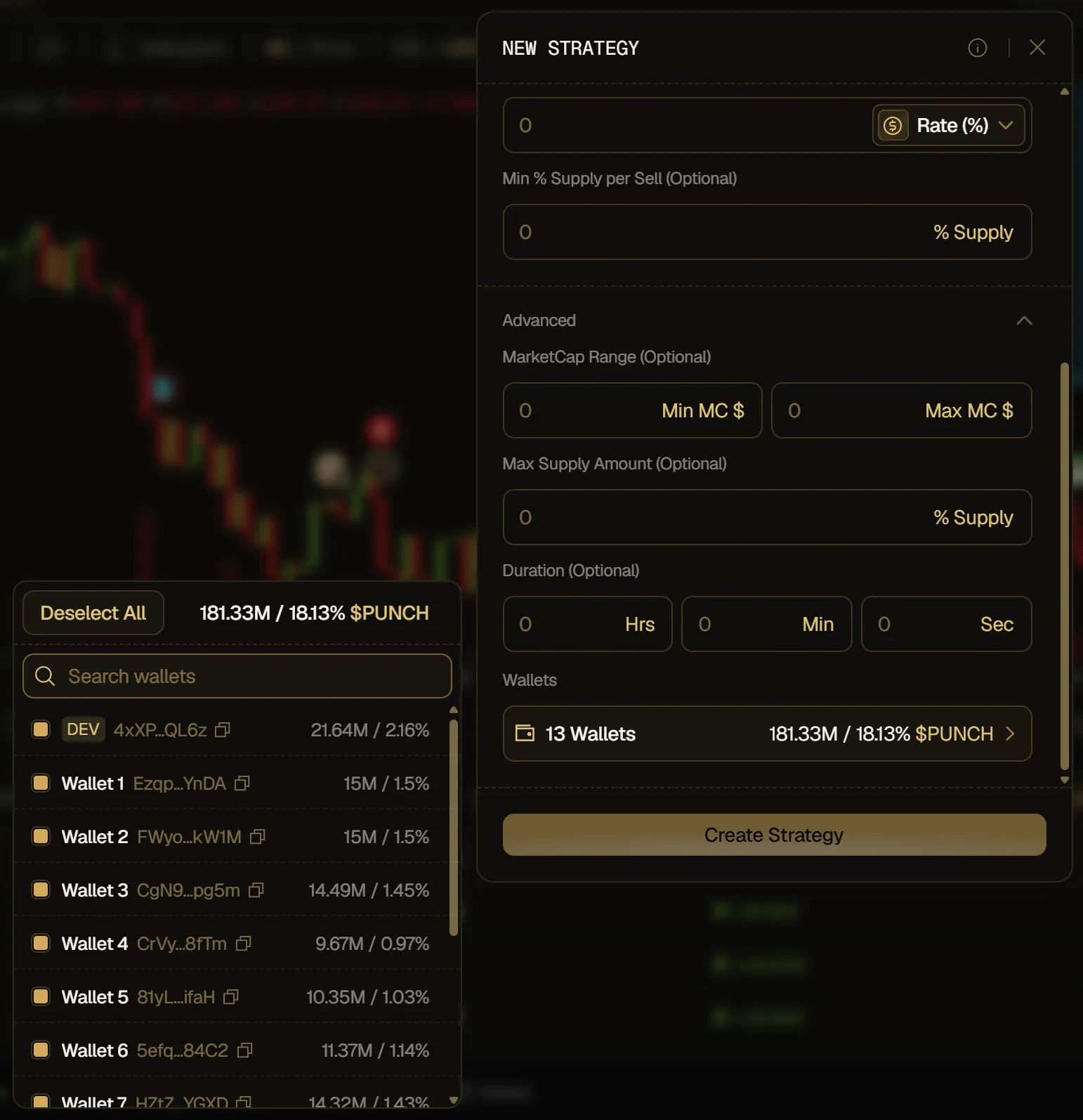
The side you pick sets what the strategy does and the unit of its amounts:
In Advanced, Wallets lists the wallets that can run the strategy, and all of them are selected by default. On the Sell side it shows their token holdings, on the Buy side their balance to buy with. These are full balances, including what other strategies have already locked. Use Select All or Deselect All, search with Search wallets, or shift-click to select a range.
You can also start a strategy at a level of the chart: hover the chart and click the + that appears on the price scale at the level you want, or right-click the chart. Pick Buy Strategy or Sell Strategy, then the mode. A compact form opens on the chart with the mode's main fields and a summary of what the strategy will do. Click Confirm to create it.
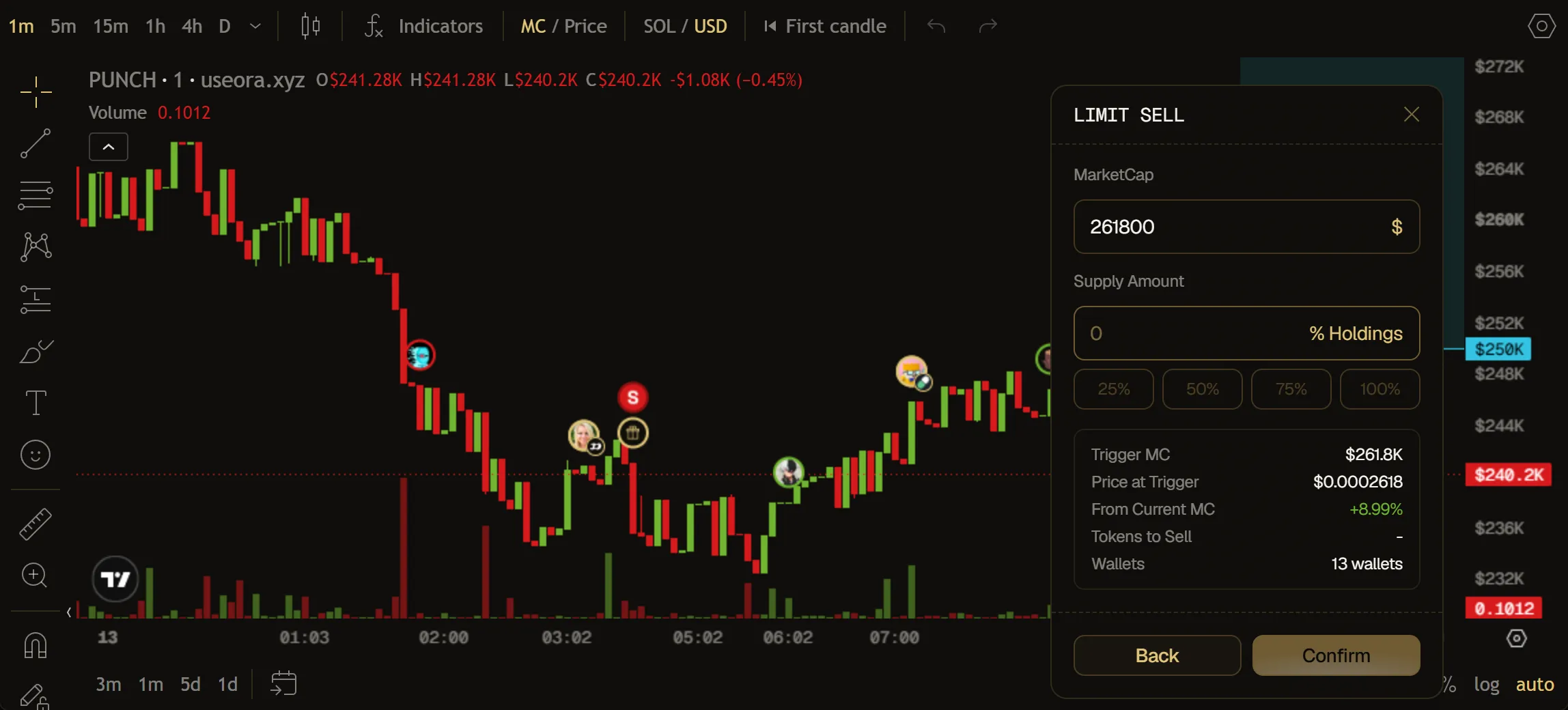
Your active and paused strategies are drawn on the chart: a limit strategy as a line at its target market cap, a mirror or TWAP strategy as the bounds of its MarketCap Range, if you set one. A paused strategy is dimmed and marked (Paused).
Your strategies are listed in the Strategies tab of the token page, next to Positions. For each one you see:
Each strategy shows a status:
In Actions, you can pause, resume, edit or delete a strategy. Deleting is immediate, with no confirmation.
The same strategies are listed in a card under the buy/sell panel, with their status and the same actions. Click a strategy there to open its details: what's left, its settings, its Range if you set a MarketCap Range, and its number of Wallets.
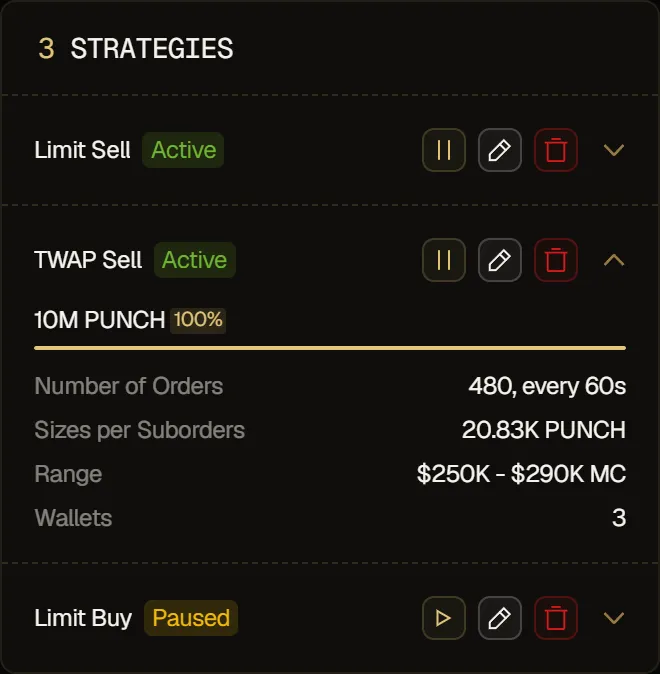
Editing opens Edit Strategy, where you can change every field and the wallets, then click Update Strategy. The side and the mode can't be changed: create a new strategy instead. Duration shows the time left, and a sell amount is shown as a % of the wallets' current unlocked tokens plus what the strategy still has to sell, so it can differ from the % you typed. Editing a paused strategy doesn't resume it.
Strategies combine per wallet, and each active strategy locks what it still has to sell or spend on its wallets. A new sell strategy's % only applies to the tokens other strategies haven't locked. For example, run a TWAP Sell on 50% to steadily reduce a position, then a Limit Sell on 100% of what's left to take profit at a target cap. A 100% TWAP Sell would leave nothing for a Limit Sell on the same wallets.
Locks also apply to your manual trades. For the selected wallets, the buy/sell panel and Instant Trade show what's locked, for example "0.5 SOL locked by strategies" under Buy and "40M $PUNCH locked by strategies" under Sell. In the buy/sell panel, sells and buys only use what isn't locked. In Instant Trade, sells, by % or by amount, only use unlocked tokens.