Atomic Launch
Secure your supply directly from block 0. No one can buy until the end of your bundle, so snipers can't front-run you.
Launching on Ora
Pick how your supply is bought at launch, set your Dev Buy and Supply Buy, and check the market cap simulation.
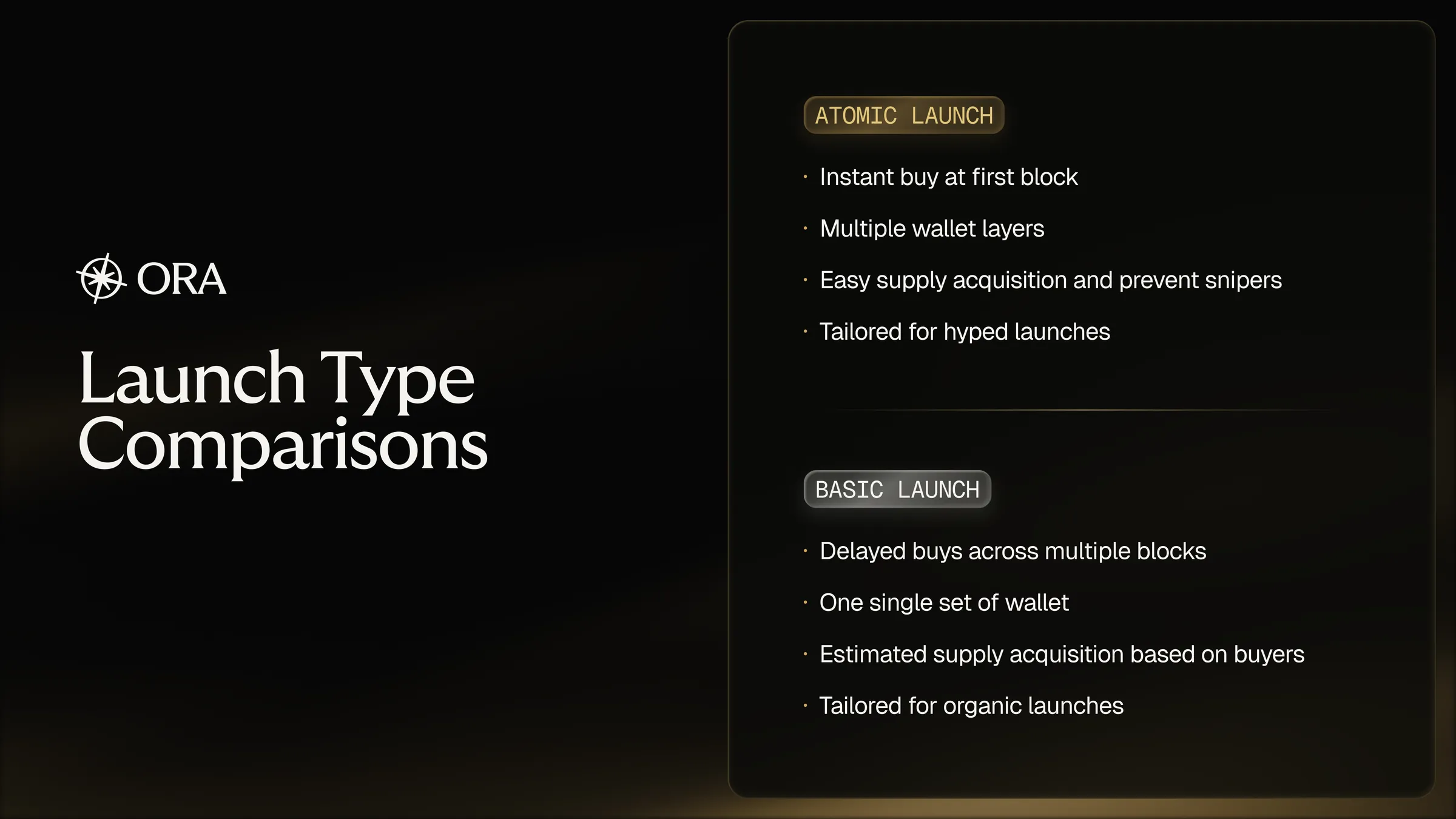
Ora offers two launch modes, each suited to a different kind of launch. Atomic Launch is available on every chain and launchpad. Basic Launch is coming soon: it shows as Basic Launch (coming soon) in the app and can't be selected yet.
Secure your supply directly from block 0. No one can buy until the end of your bundle, so snipers can't front-run you.
Buy supply gradually with one set of wallets right after your token is created, making the token's price action more natural.
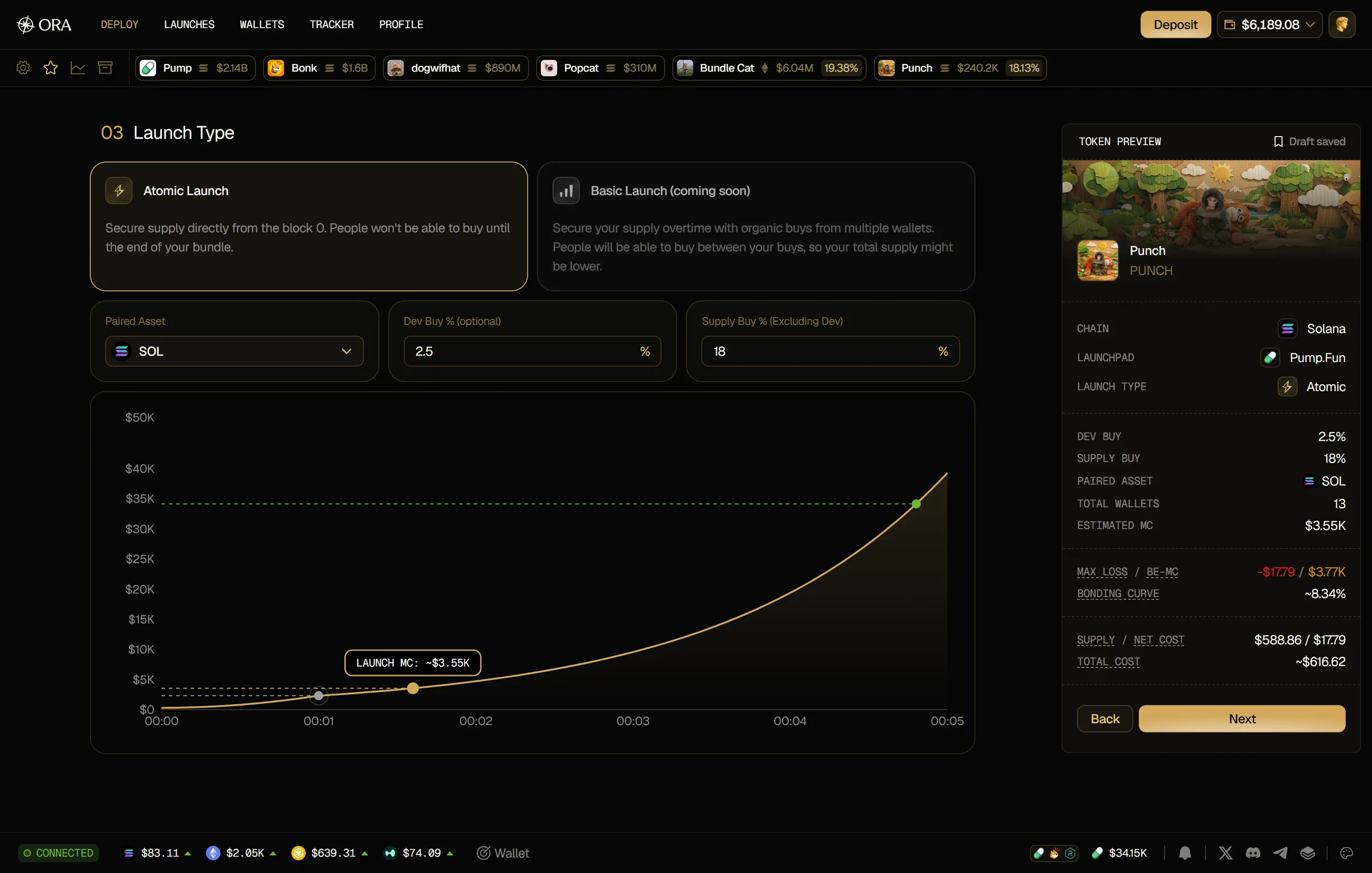
On the same step, on every launchpad except Bags and Uniswap, you pick the Paired Asset: the asset your token trades against. The chain's native asset (SOL on Solana, ETH on Robinhood) is selected by default, and your choice shows as Paired asset in the Token Preview.
You also set how much of the supply your launch buys:
Both fields take a value from 0 to 100, with up to 4 decimals. Together, Dev Buy and Supply Buy can't go over the launchpad's limit: if you type more, the field you're typing in is lowered to fit. If that limit drops later, for example when you change the launchpad, the paired asset or the funding type, your values are lowered again to fit, Supply Buy first.
If a value is too low for your launch, a message shows under the field and Next stays disabled:
Once you enter your Supply Buy, a chart simulates your launch on the bonding curve, with your Dev Buy if you set one. Hover or click one of its three points to see its value:
Until you enter a Supply Buy %, the chart shows Enter a Dev Buy % and Supply Buy % to simulate. On some launchpads it shows Market cap simulation isn't available for this launchpad yet.
Picking the right launch type matters, and the two suit very different launches. Basic Launch is coming soon, so every launch uses Atomic Launch for now.