Managing your Token
Withdraw Funds
Withdraw the funds left in your launch wallets back to your Ora balance in dollars, through Husher.
Withdrawing funds
Section titled “Withdrawing funds”You withdraw the funds left in your launch wallets from the Wallets page. Ora runs the withdrawal through Husher and sends the funds back to your Ora wallet: they're added to your balance, in dollars, whichever chain the launch is on.
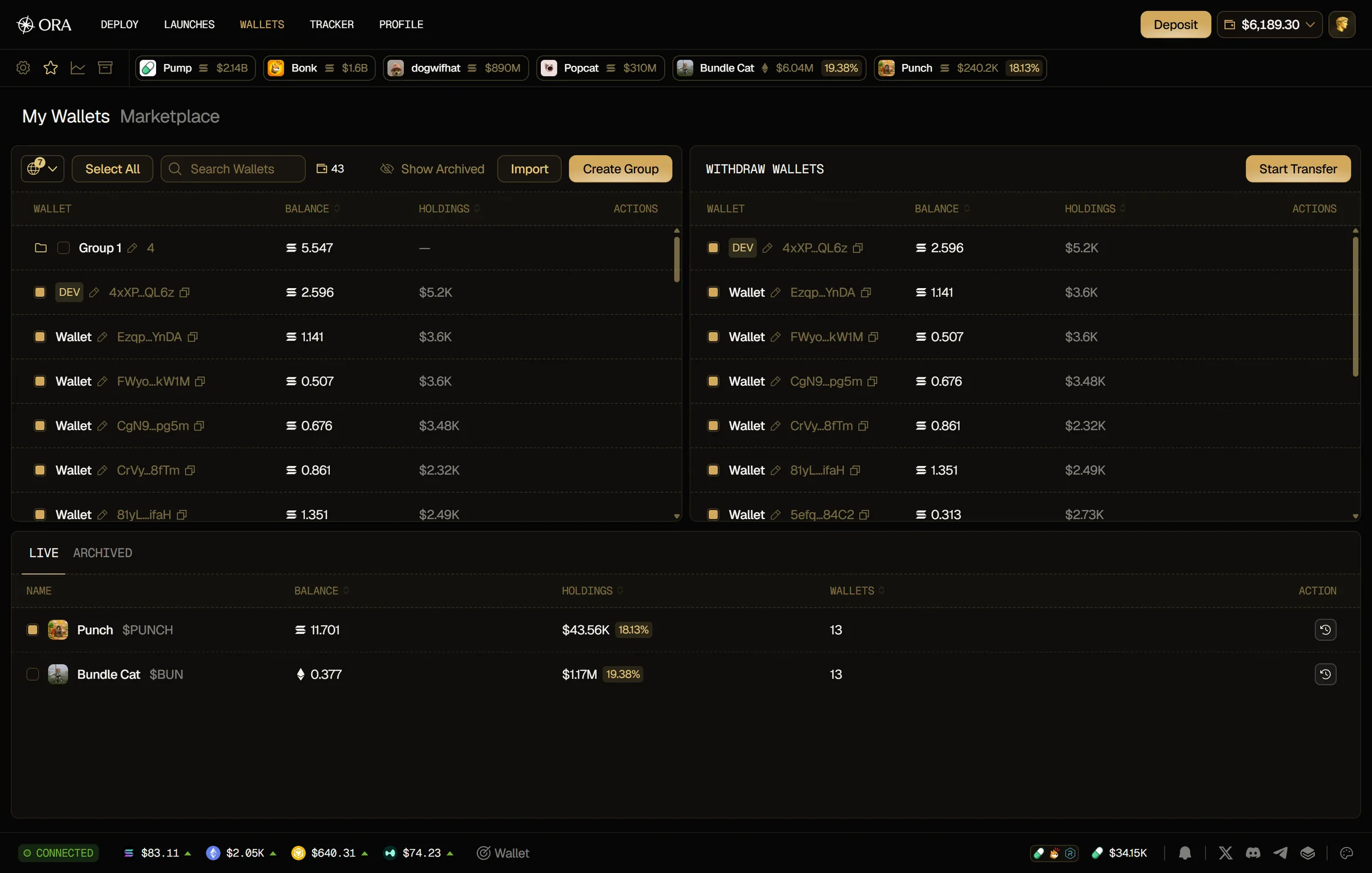
- Open Wallets. It opens on the My Wallets tab.
- In the launches list at the bottom, tick the launch you want to withdraw from. You can tick several launches on the same chain, or add wallets one by one from your wallets panel above: tick them, click Select All, or drag them onto Withdraw Wallets.
- Their wallets show under Withdraw Wallets. Click a wallet there to leave it out.
- Click Start Transfer.
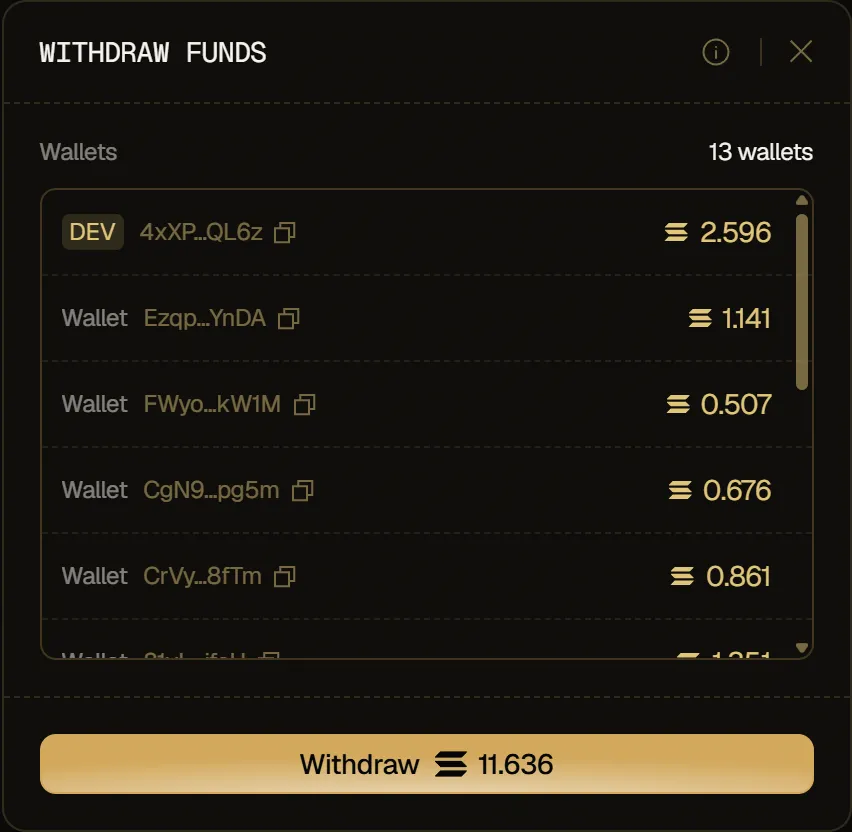
- In the Withdraw Funds window, click Withdraw. The button shows the amount that will be sent.
When Start Transfer is disabled, hover it to see why:
- Select wallets to withdraw: no wallet is selected. On desktop, Start Transfer stays hidden until you select a wallet.
- These wallets can't be withdrawn yet: none of the selected wallets comes from a launch.
- Selected wallets use different chains: select wallets from a single chain.
- Selected wallets hold no SOL (or ETH): there's nothing to withdraw.
To withdraw your Ora balance in USDC to a wallet of yours, see Deposit & Withdraw.
Consolidating
Section titled “Consolidating”The Withdraw Funds window lists the wallets that send, each with its balance, and consolidates them: your funds go through Husher straight back to your Ora balance, in dollars. Each wallet sends its whole balance. Wallets holding too little to send keep their SOL (or ETH) and aren't listed. If a launch can't be withdrawn, for example because its total is under Husher's minimum, it stays too and the window shows a note with the reason.