Managing your Token
Unlink Wallets
Break the Bubblemaps links between your launch wallets by moving your supply to newer wallets.
Why unlink
Section titled “Why unlink”When wallets are funded from the same place or trade together, analytics tools like Bubblemaps draw them as a cluster: bubbles tied to each other. Traders read a cluster as a sign of an artificial launch, and many skip the token.
Unlink Wallets cleans this up. Ora sells the supply held by your linked wallets and redistributes it to newer wallets, so the links disappear from the map.
Your funds are available again once the redistribution is done, which takes about 15 minutes.
Unlinking your wallets
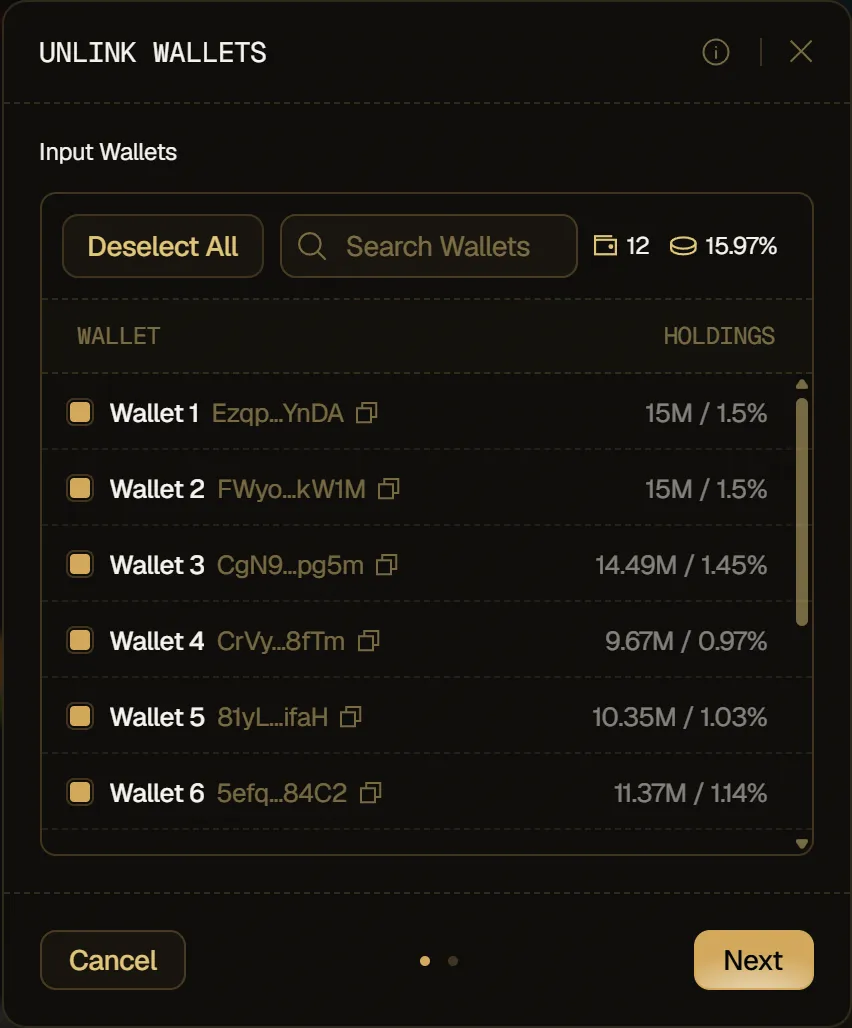
Section titled “Unlinking your wallets”- On the Positions tab, click Unlink to open Unlink Wallets. Under Input Wallets, tick the wallets whose supply you want to move (or Select All), then click Next.
- Under Output Wallet Type, choose where your supply goes: Aged Wallets or Import Wallets.
- Pick the wallets to use (at least one per input wallet, at most two), then click Unlink.
Aged wallets
Section titled “Aged wallets”Wallets with a previous on-chain history. They're the best way to fully break the links between your previous wallets. Ora first uses your own free wallets (the ones no launch uses), then buys the rest from the Marketplace.
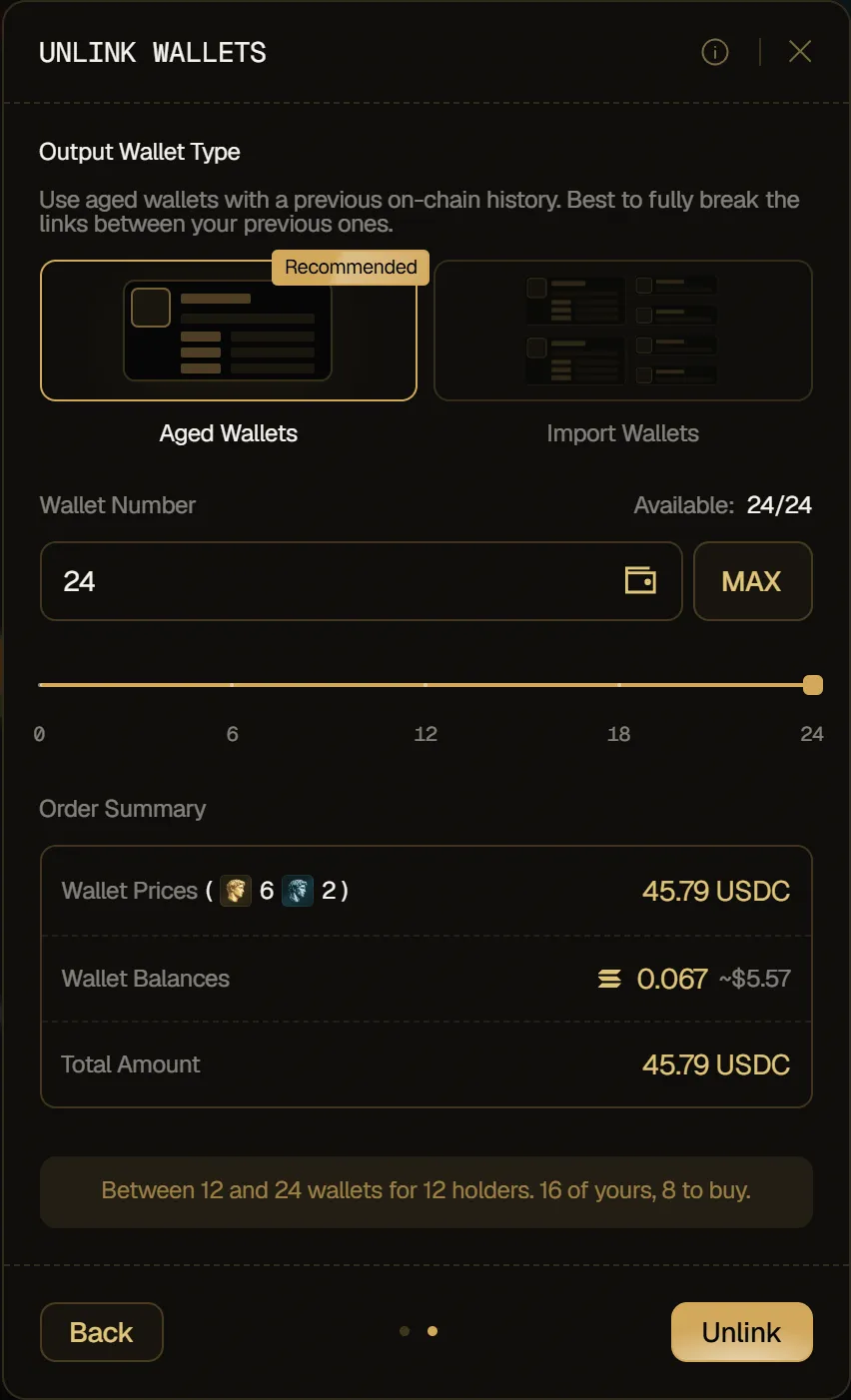
- Wallet Number: how many new wallets to use, yours and bought ones together. Type it in or use the slider, up to the number shown next to Available. MAX takes them all.
- Order Summary: shown when Ora has wallets to buy: the Wallet Prices by tier (Gold and Diamond) and the Total Amount, in USDC, and the Wallet Balances that come with the wallets, in your chain's currency and in USD.
Below them, a note shows the allowed range, how many wallets are yours and how many Ora buys.
Import wallets
Section titled “Import wallets”Your own free wallets on the token's chain, such as the ones you imported into Ora. They work well to break the links if you use old ones.
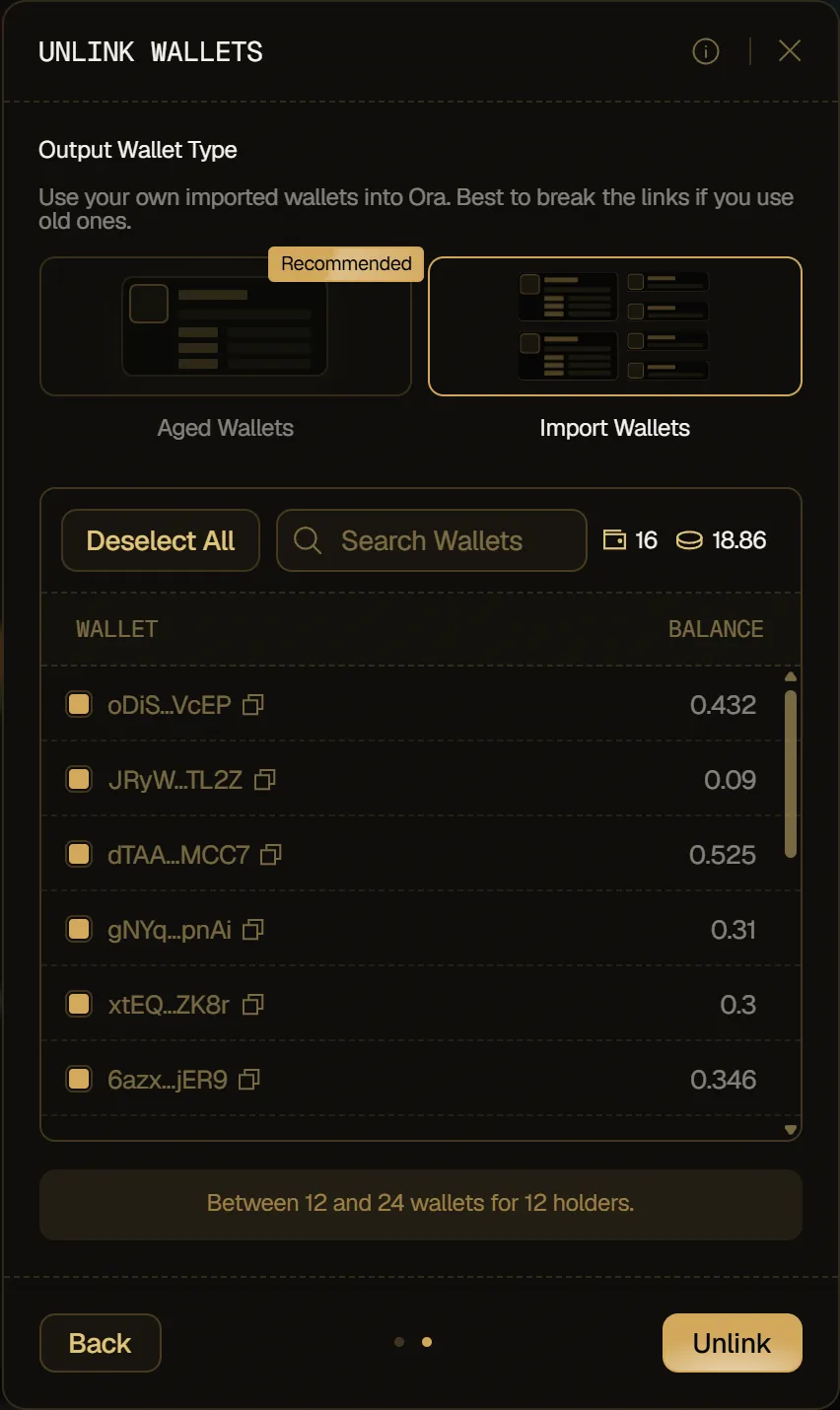
Tick the wallets to use, or Select All (Deselect All once they're all ticked), and use Search Wallets to find one by its address. Each row shows the wallet's address and its balance, and the counters show how many wallets you ticked and their total balance. If none of your wallets is free, import or buy some from the Wallets page first.