Managing your Token
Callouts
Read what people post about your token on FOMO and Pump.fun, right from your trading page.
What callouts are
Section titled “What callouts are”Traders who buy a token often post a short thesis about it: why they bought, what they see in the chart, the dev or the community. These posts are callouts, and you find them on FOMO and on the token's Pump.fun page.
The Callout panel brings them to your trading page, so you can follow what people say about your token without leaving Ora.
The panel is available on the tokens you launched with Ora.
Opening the panel
Section titled “Opening the panel”Click Callout next to Instant Trade in the trading table. The panel opens beside the tables.
- Resize: drag its left edge to make it wider or narrower.
- Close: click the cross, or Callout again.
On smaller screens, where there's no room beside the tables, Callouts is a tab of the trading table instead.
Sources
Section titled “Sources”Pick a source at the top of the panel:
- All: both sources together, newest first.
- FOMO: the theses posted on FOMO.
- Pump: the callouts posted on Pump.fun.
Reading a callout
Section titled “Reading a callout”Each card shows:
- Author: their name and handle, the source's mark and how long ago they posted. Pump.fun authors often have no handle.
- Thesis: what they wrote. A long thesis is cut after four lines: click More to read the rest, and Less to fold it back.
- Hold: while the author still holds your token, the value of their position in USD and its PNL.
- Sold: once the author has sold out, their realized PNL.
- Likes: how many people liked the callout.
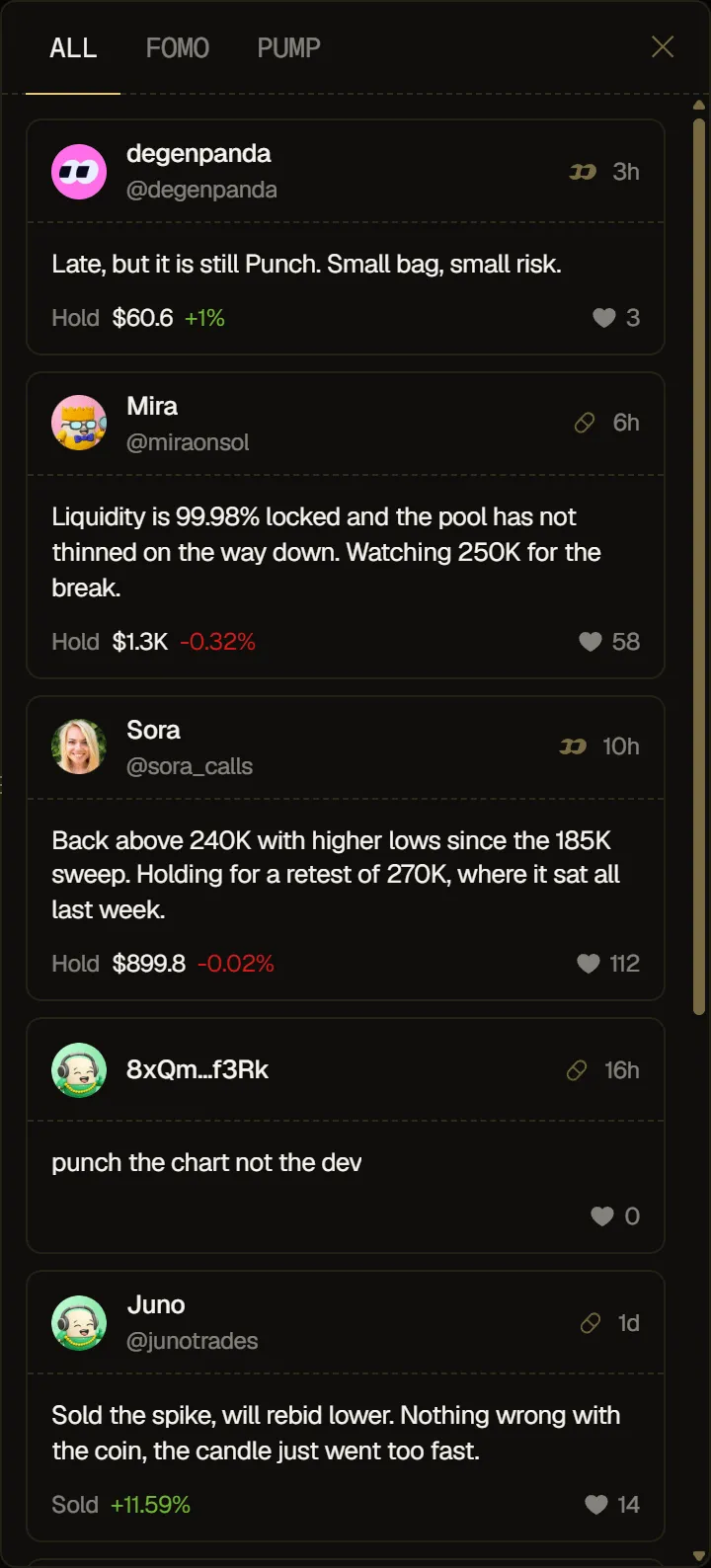
PNL is green for a gain and red for a loss. The panel updates on its own as new callouts come in. If a source can't be loaded, the panel says so, and in All it keeps showing the other source's callouts. If a later refresh fails, the panel keeps the callouts it already has.