Managing your Token
TWAP
Automatically sell or buy in smaller trades at regular intervals to reduce price impact.
A TWAP strategy splits a sell or a buy into smaller trades at regular intervals, to minimize price impact.
TWAP selling
Section titled “TWAP selling”Create a TWAP sell to sell automatically in smaller trades at regular intervals, so you exit a position slowly over time.
TWAP buying
Section titled “TWAP buying”Create a TWAP buy to buy automatically in smaller trades at regular intervals, so you build a position slowly over time.
Creating a TWAP strategy
Section titled “Creating a TWAP strategy”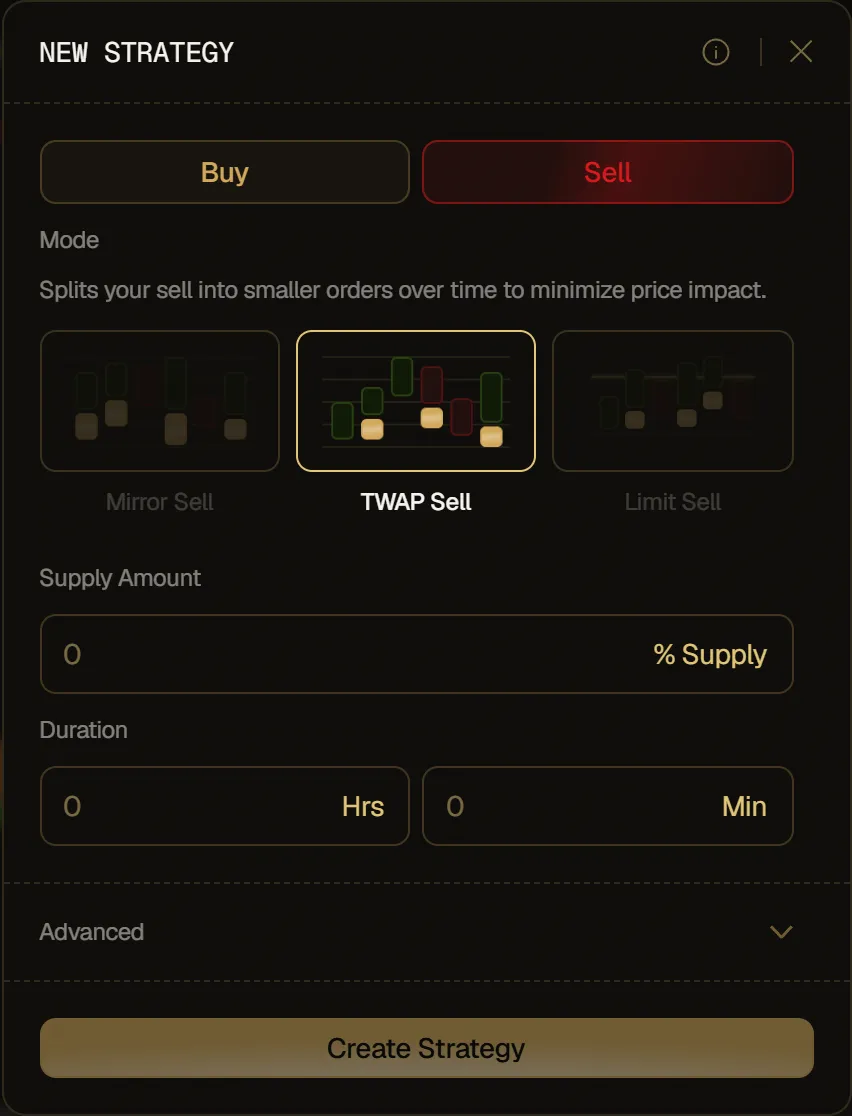
- Pick Sell or Buy at the top, then TWAP Sell or TWAP Buy under Mode.
- Set the total amount:
- Sell: in Supply Amount, choose how much you want to sell, as a % of the selected wallets' tokens that other strategies haven't locked (before launch, of what they're set to receive at launch).
- Buy: in Amount, choose how much you want to spend over the whole duration, in SOL, ETH or the token's paired asset, as shown in the field.
- In Duration, set the running time of your strategy, in hours and minutes.
- Click Create Strategy.
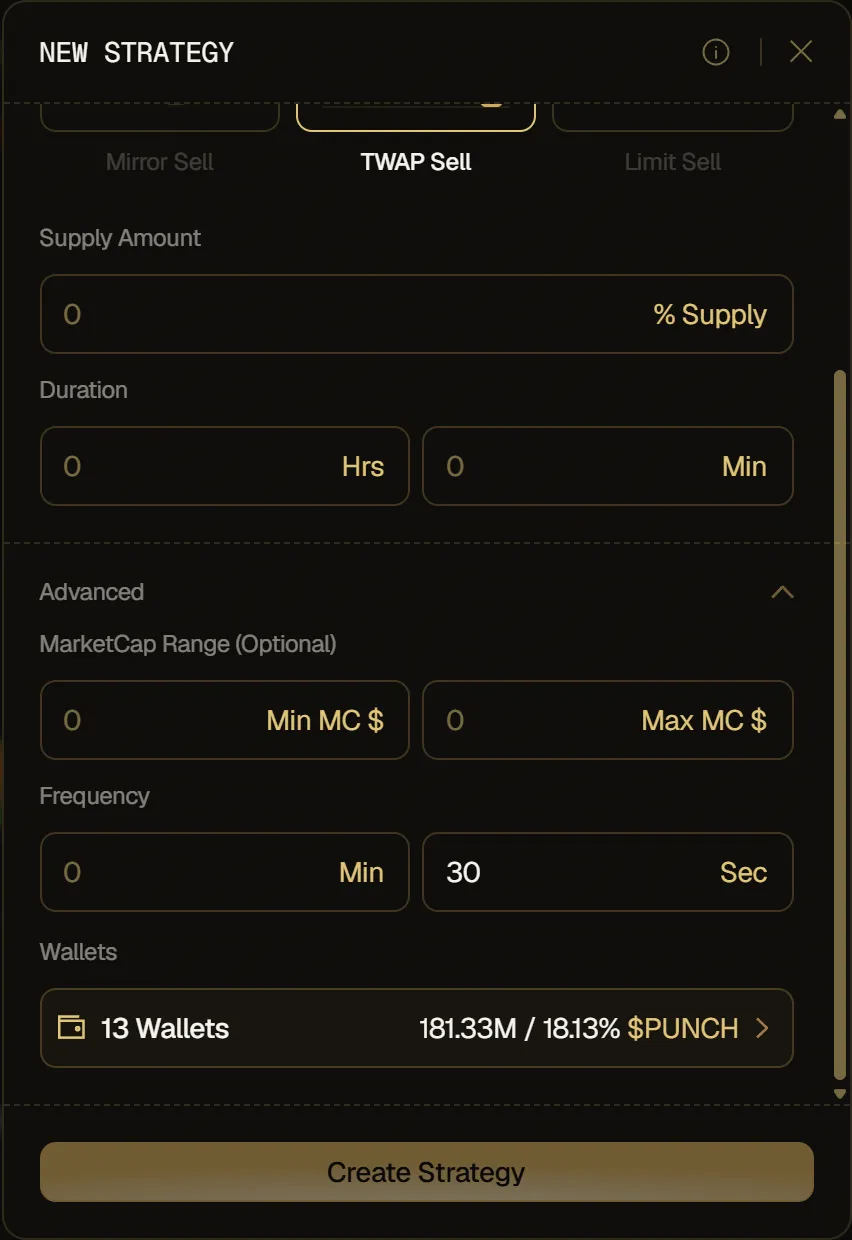
The amount is split evenly over the duration. For example, a 12% TWAP Sell over 3 minutes, with the default 30-second Frequency, sells 2% six times.
Advanced options:
- MarketCap Range: set a range where the strategy executes.
- Frequency: set how often a trade runs, in minutes and seconds. It defaults to 30 seconds and can't be longer than the duration.
- Wallets: pick which wallets to include. All of them are selected by default.