Get Started
Deposit & Withdraw
Deposit USDC on Solana or USDG on Robinhood Chain into your Ora wallet, and withdraw your funds to your own wallets, in USDC on Solana or USDG on Robinhood Chain.
Your Ora wallet
Section titled “Your Ora wallet”Your Ora account holds a single balance, in dollars ($): there are no separate SOL or ETH balances to manage.
You deposit USDC on Solana or USDG on Robinhood Chain: what you deposit is added to your balance in dollars. Withdrawals arrive as USDC on Solana or USDG on Robinhood Chain.
Click your balance in the header to open your wallet panel. It shows your name and your wallet address (click the address to copy it), your Account Value, a Share PNL button, and the Deposit and Withdraw buttons.
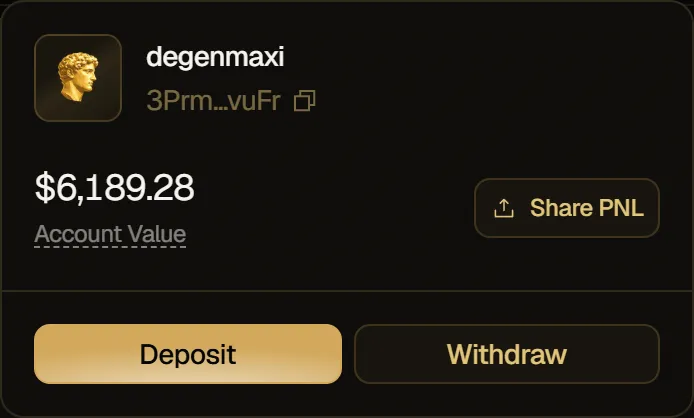
On a phone, tap the menu button at the top right: the same panel opens above the app's pages.
Deposit
Section titled “Deposit”- Click Deposit in the header. On a phone, open the menu and tap Deposit.
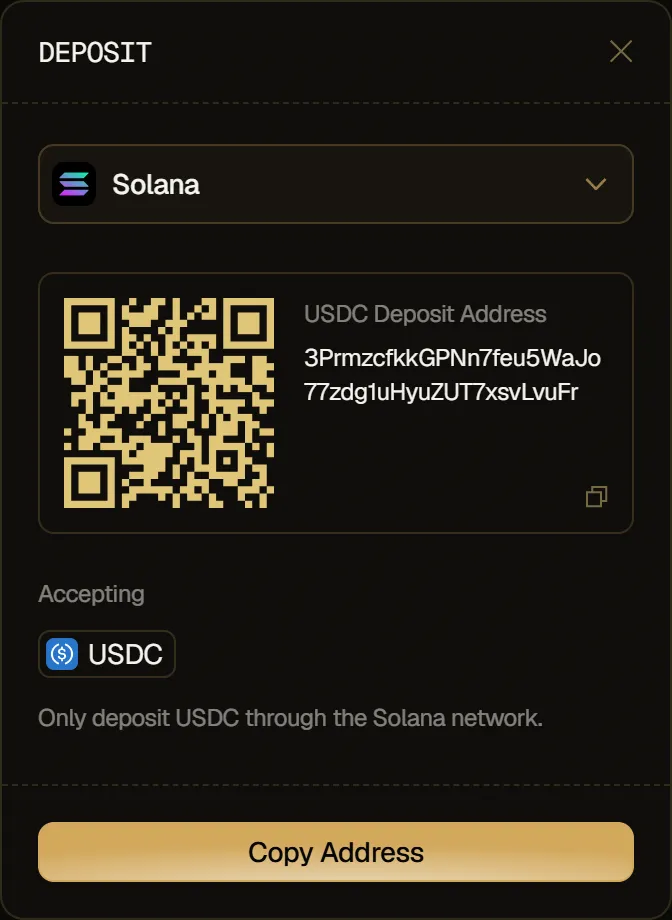
- The Deposit window opens. In the network menu, pick the network you're sending over: each network has its own deposit address. Under Accepting, the window shows the coin you can send on that network: USDC on Solana, USDG on Robinhood Chain.
- Scan the QR code, or click Copy Address. You can also click the address card to copy it. A notification confirms Address copied to clipboard!
- Send the coin shown under Accepting to this address, over that same network, from your exchange or another wallet.
USDG you deposit on Robinhood Chain moves to your USDC balance on Solana the next time you open Ora, once it's worth $5 or more.
Your balance refreshes on its own, about once a minute.
Withdraw
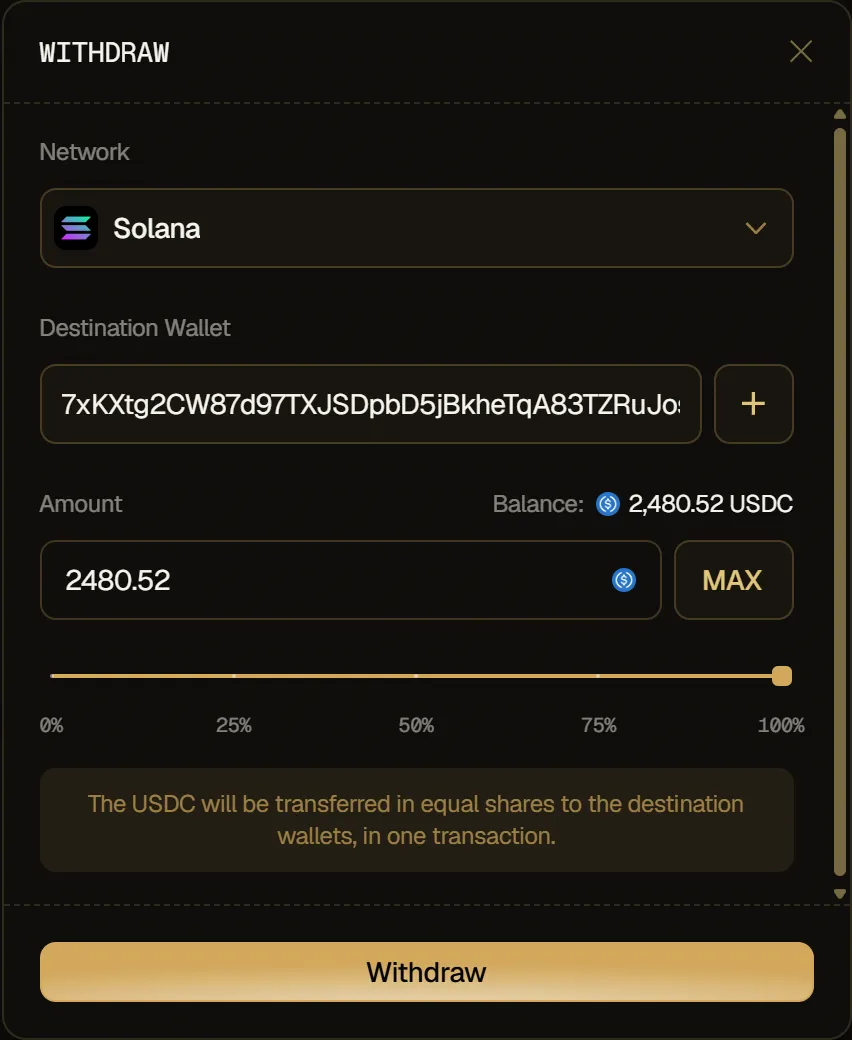
Section titled “Withdraw”Send funds from your Ora wallet to wallets of yours, on Solana or on Robinhood Chain. On Solana, the funds arrive as USDC, in a single transaction. On Robinhood Chain, they arrive as USDG: each destination wallet gets its own transfer through Relay, for a fee of about $0.05 each.
- Click your balance in the header, then Withdraw. On a phone, open the menu and tap Withdraw.
- Under Network, pick the network you're withdrawing to.
- Under Destination Wallet, paste your address. To send to several wallets, click + to add one, up to 5: the amount is split between them in equal shares.
- Under Amount, enter the amount to withdraw, or use MAX or the slider.
- Click Withdraw to confirm.