Managing your Token
Mirror
Automatically sell into other wallets' buys, or buy into their sells, as the volume comes.
A mirror strategy trades with your token's volume: a mirror sell sells when other wallets buy, and a mirror buy buys when other wallets sell.
Mirror selling
Section titled “Mirror selling”Create a mirror sell to sell automatically when other wallets buy, so you exit into their volume cleanly and efficiently. For example, a 10% mirror sell means a $100 buy triggers a $10 sell (with a Trigger Rate of at least 10%).
Mirror buying
Section titled “Mirror buying”Create a mirror buy to buy automatically when other wallets sell, so you absorb their sell pressure as it comes. For example, a 10% mirror buy means a $100 sell triggers a $10 buy (with a Trigger Rate of at least 10%). It spends up to the Budget you set.
Creating a mirror strategy
Section titled “Creating a mirror strategy”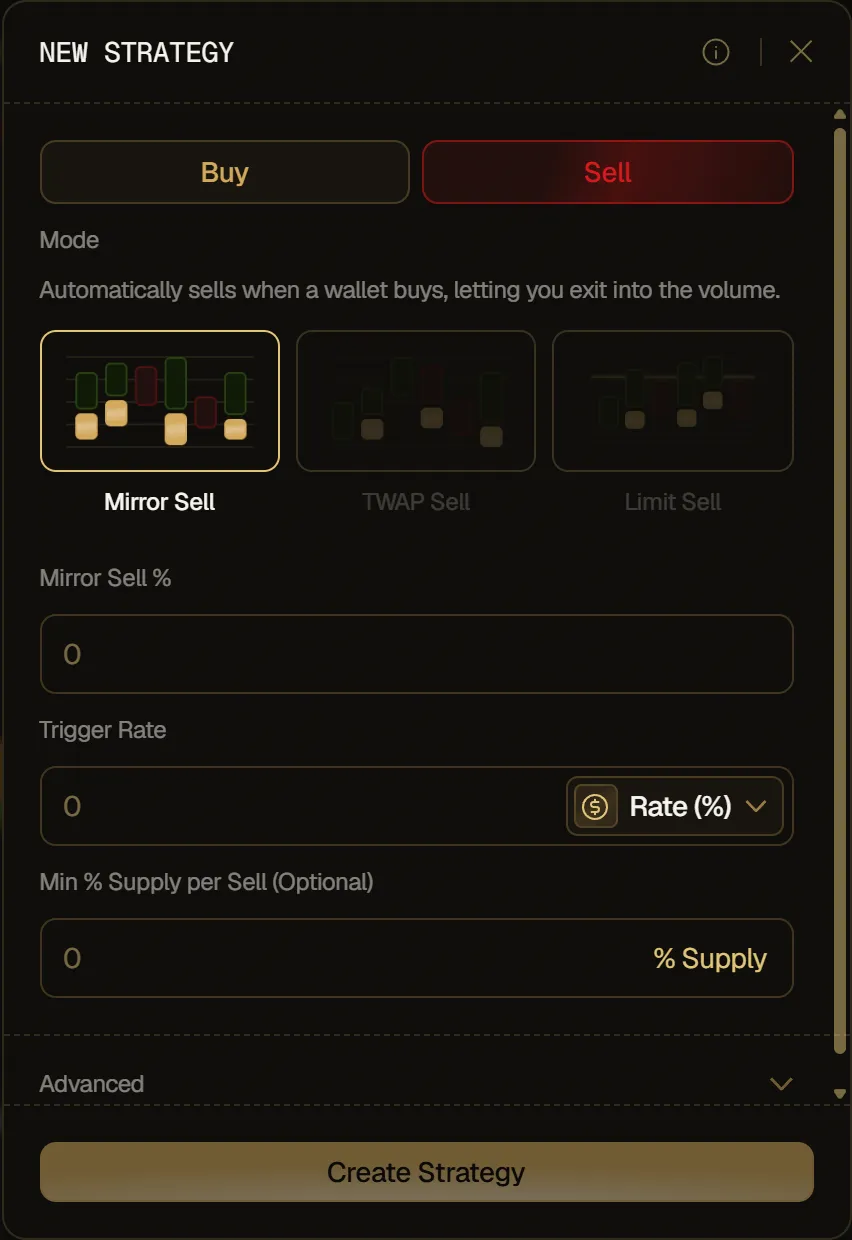
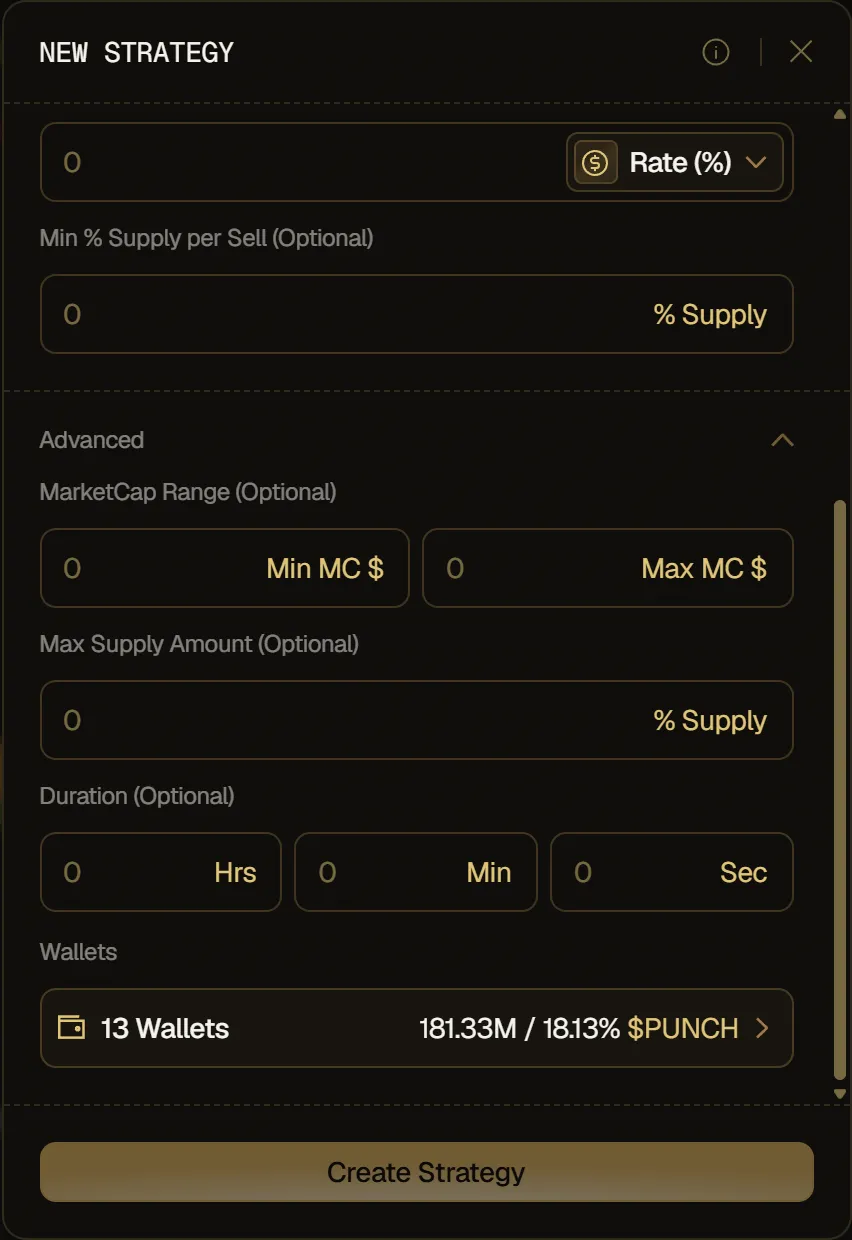
- Pick Sell or Buy at the top, then Mirror Sell or Mirror Buy under Mode.
- Fill in the fields for that side (see the table below).
- Click Create Strategy.
| Field | Sell | Buy |
|---|---|---|
| Mirror Sell % / Mirror Buy % | The percentage of each buy you sell. Required. | The percentage of each sell you buy. Required. |
| Trigger Rate | Rate (%): the pace you sell at, as a % of other wallets' buy volume. Or Max. SOL (Max. ETH on Robinhood tokens): the total your sells bring in before the strategy stops. Required. | Rate (%): the pace you buy at, as a % of other wallets' sell volume. Or Max. SOL (Max. ETH): the total your buys spend before the strategy stops. Required. |
| Budget | Not on this side. | The most the strategy can spend in total. Required. |
| Min % Supply per Sell / Min per buy | Optional. A sell smaller than this, in % Supply, is skipped. | Optional. A buy smaller than this is skipped. |
Mirror Sell % sizes each sell, and Trigger Rate sets how far the strategy goes overall:
- Rate (%) sets the pace. Over time, what the strategy sells stays at about that % of other wallets' buy volume, counted while it's active and inside its MarketCap Range. If the rate is lower than Mirror Sell %, the rate wins: with Mirror Sell % at 50 and Rate (%) at 20, buys totalling 10 SOL lead to about 2 SOL of sells. If it's equal or higher, every buy is mirrored at the full Mirror Sell %.
- Max. SOL (Max. ETH) sets a total. Every buy is mirrored at the full Mirror Sell % until your sells have brought in that amount, then the strategy is Completed. For example, with Mirror Sell % at 50 and Max. SOL at 1, two 1 SOL buys trigger two sells of about 0.5 SOL, then it stops.
A mirror buy works the same way with other wallets' sells: Rate (%) keeps what it spends at about that % of their sell volume, and Max. SOL stops it once it has spent that amount, or its Budget, whichever comes first. Max. SOL is always in SOL (ETH on Robinhood), even when the token is paired with another asset. Budget and Min per buy are in SOL, ETH or the token's paired asset, as shown in each field. When less than the minimum is left to sell or spend, the strategy is Completed.
Advanced options:
- MarketCap Range: set a range where the strategy executes, with Min MC $ and Max MC $.
- Max Supply Amount (Sell only): cap the total amount you sell, as a % of the selected wallets' tokens that other strategies haven't locked (before launch, of what they're set to receive at launch). If you leave it empty, the strategy can sell all of them, and they're all locked for it, so the buy/sell panel and Instant Trade won't sell them.
- Duration: set how long the strategy runs, in hours, minutes and seconds. Leave it empty for no deadline.
- Wallets: pick which wallets to include. All of them are selected by default.