Managing your Token
Lock Supply
Lock tokens from your dev wallet for a set period, through Streamflow on Solana or HoodLock on Robinhood.
Locking supply
Section titled “Locking supply”You can lock tokens directly from the trading page. Ora runs the process through a lock provider that depends on your token's chain, so you only set the amount and the duration.
Lock provider
Section titled “Lock provider”The provider's name sits above the Lock button, and the lock modal is titled after it.
Tokens are locked with Streamflow.
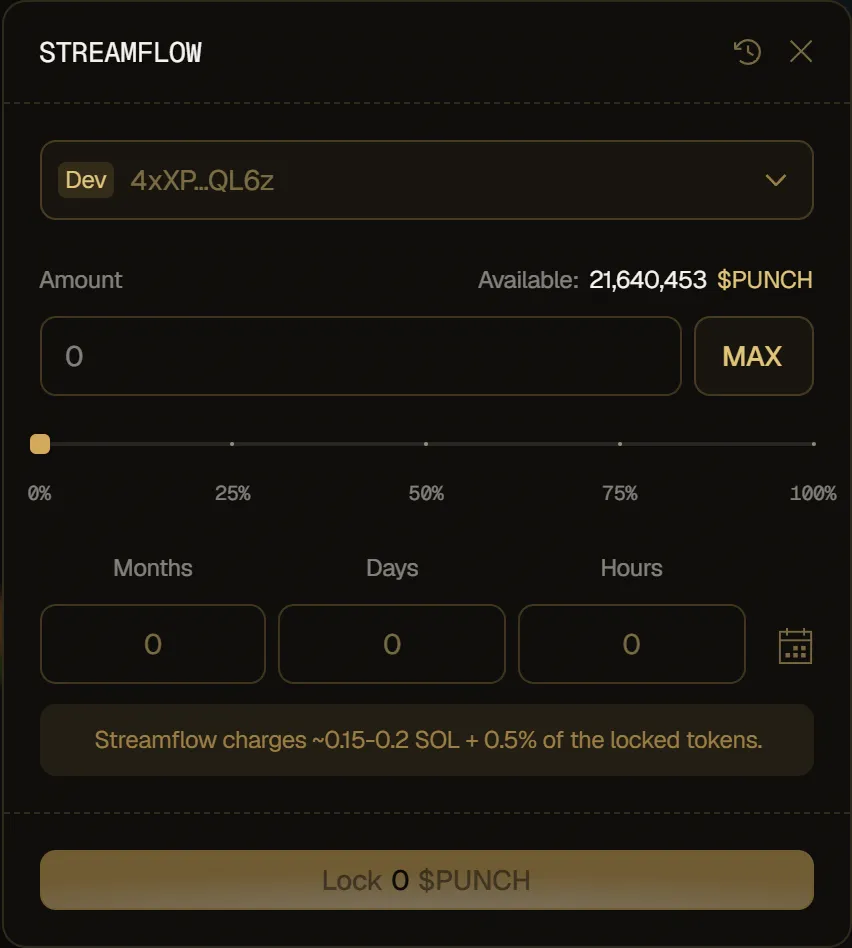
- Fee: Streamflow charges about 0.15 to 0.2 SOL, plus 0.5% of the locked tokens.
- Balance needed: your dev wallet needs at least 0.16 SOL to cover the fee.
Tokens are locked with HoodLock.
- Fee: HoodLock charges a flat on-chain fee, about 0.005 ETH.
- Balance needed: your dev wallet needs at least 0.01 ETH to cover the fee.
How to lock your supply
Section titled “How to lock your supply”- Click Lock at the top of the token page.
- Your dev wallet is selected. Locking is only possible from the dev wallet.
- Set the amount to lock: type a custom value, click MAX, or use the slider.
- Set the unlock time in Months, Days and Hours, or pick a date with the calendar icon. The shortest lock is one hour, and the modal shows how long until the tokens unlock.
- Click Lock. A notification confirms the lock.
If your dev wallet doesn't hold enough SOL or ETH for the provider's fee, the modal tells you how much is needed and the Lock button stays disabled.
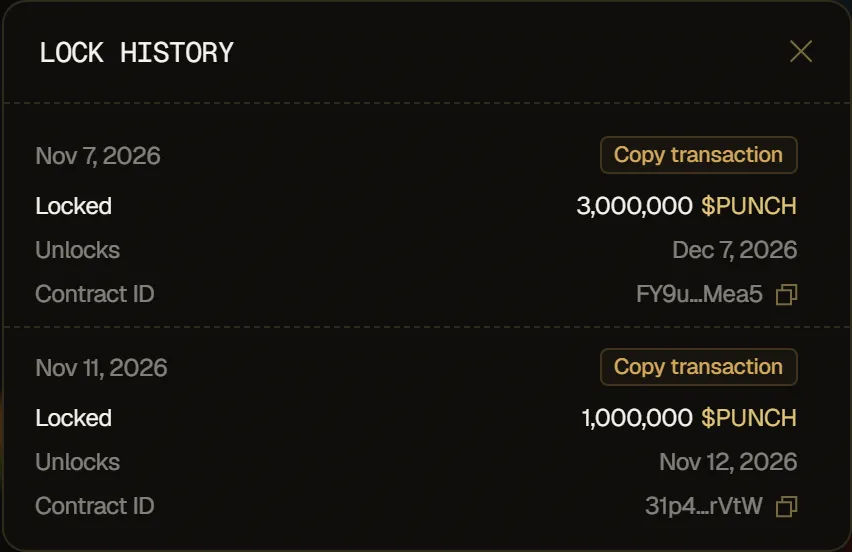
To see your past locks, click the history icon in the modal header. Lock History shows each locked amount, its unlock date and its Contract ID.